Content Partner: Remove a Featured Plan
Remove a Featured Plan.

Updated
by Zizoh Anto
Have you featured the wrong Plan, or no longer want a Plan highlighted for your organization? You can easily remove a Featured Plan so it no longer appears on your organization’s page.
Only people with the Owner or Editor role can add, edit, or remove Featured Plans.
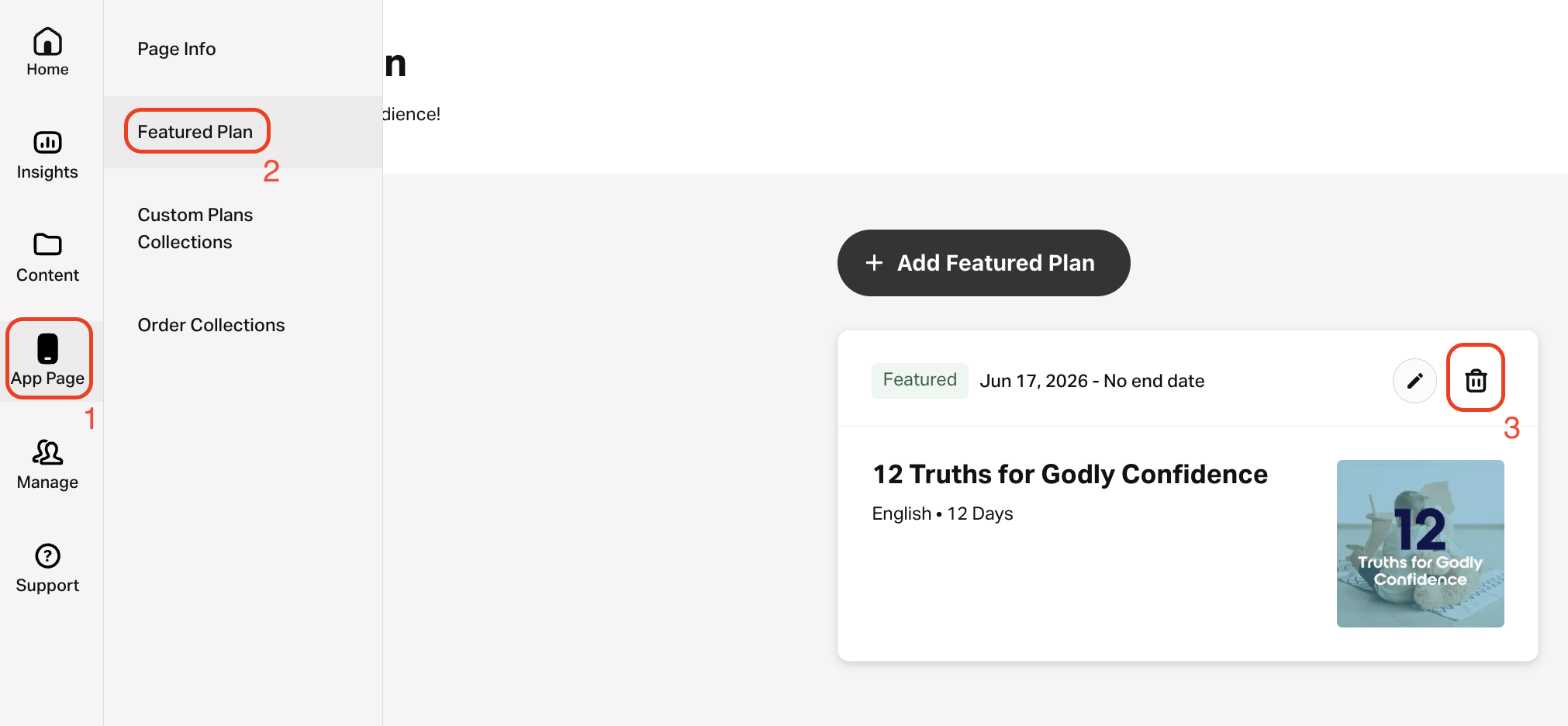
- Select App Page on the left navigation menu.
- Go to the Featured Plan tab.
- Select the delete button beside the Plan you want to remove.
- Select Remove to confirm.
How did we do?
Content Partner: Edit a Featured Plan End Date
