Content Partners: Log Out of YouVersion Connect
Log out of YouVersion Connect.

Updated
by Zizoh Anto
To accept a YouVersion Connect invite while using a different YouVersion account, you may need to sign out of the current account first.
How To Log Out of YouVersion Connect
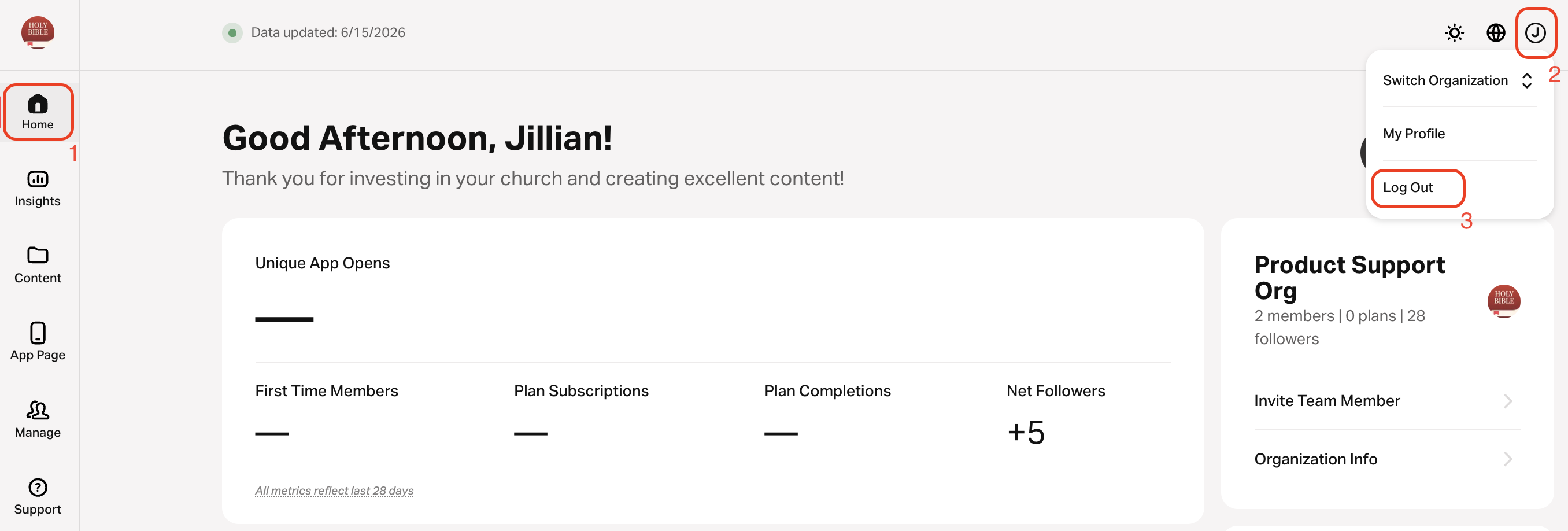
- Go to https://connect.youversion.com/.
- Select Home on the left navigation menu.
- Select your profile icon in the top right corner.
- Select Log Out.
How did we do?
Understanding Content Partner Account Roles
Reset Your Password
