How to Compare Translations on the Bible App
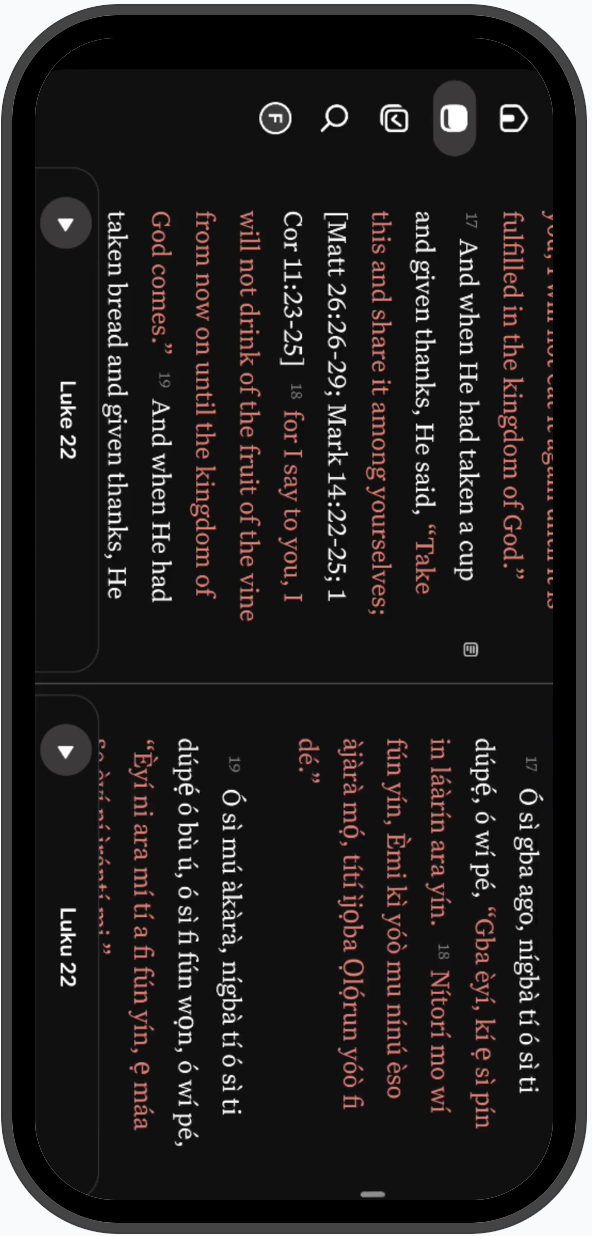
How to Compare Translations on the Bible App. To compare two different translations when studying on the Bible App;. Click the "Bible" icon. Rotate your device to landscape mode. Click the "screen di…
How to Compare Translations on the Bible App
To compare two different translations when studying on the Bible App;
- Click the "Bible" icon
- Rotate your device to landscape mode
- Click the "screen divider" icon
- Choose your preferred translations on both sides of the screen
Watch an interactive demo through this link;
How did we do?
