Share Your Profile

Updated 8/1/26 by Amanda Bixler

To encourage engagement with your church, Share allows you to send a link to your in-app Page. Share links are only available once your church has been published.

Share Your Profile

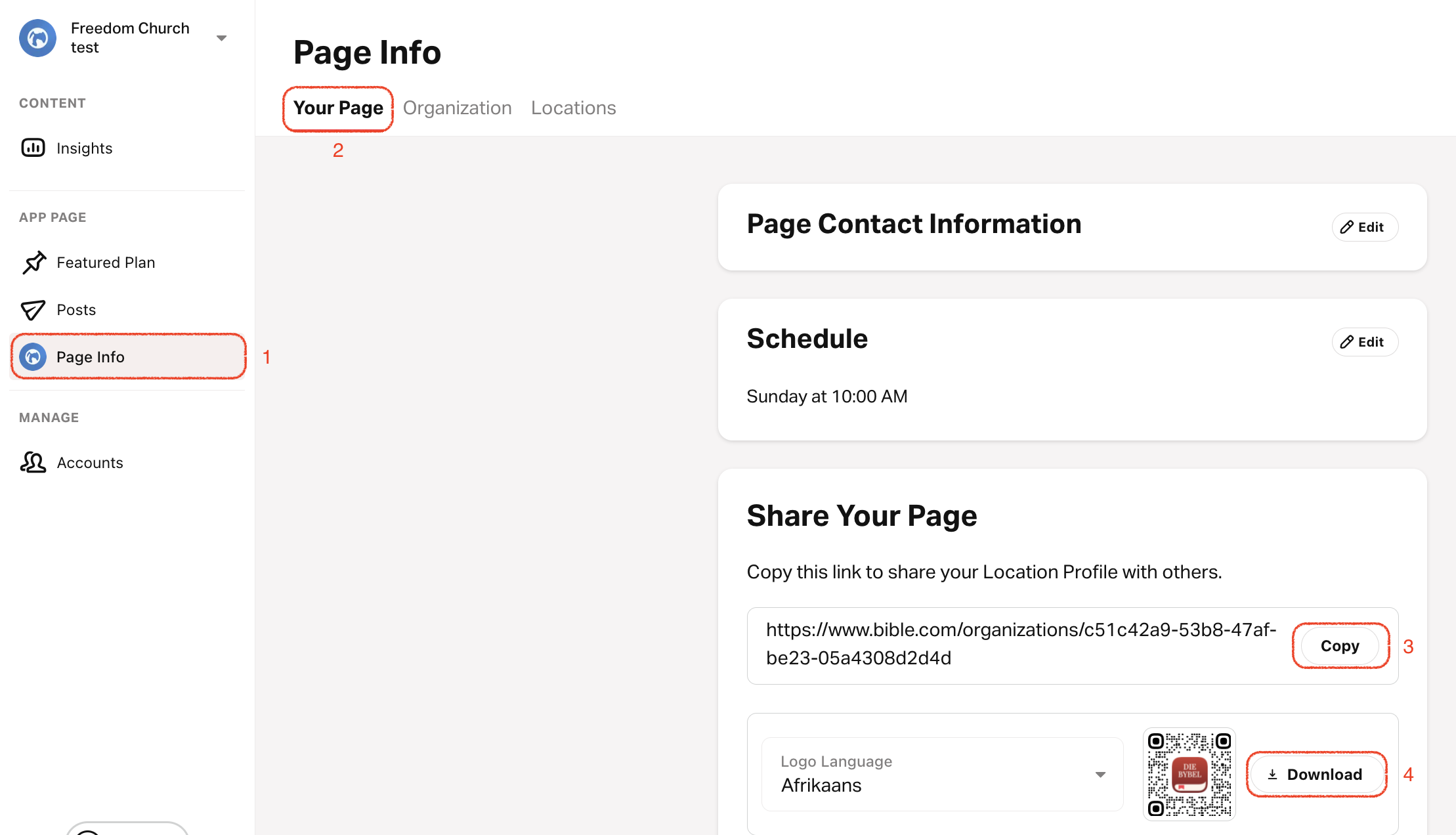
  1. Tap on the Page Info tab.
  2. Select Your Page from the top menu.
  3. Copy the link or download the QR code to share your Profile with others.
QR codes can be generated with the app icon in multiple languages.

Share Location Profile

If your church has multiple locations, you can get a sharable link for each location.

  1. 點選個人資料標​​籤。
  2. 從頂部選單中選擇位置
  3. Select the Location you want to share.
  4. Copy the link or download the QR code to share the Location with others.


How did we do?


Powered by HelpDocs (opens in a new tab)

Powered by HelpDocs (opens in a new tab)