Table of Contents
Follower Insights for Content Partners
Get an expanded view of your followers’ data, helping you understand trends, demographics, and engagement—all in one place.

Table of Contents
The Followers tab acts as a landing page for follower analytics, with a default filter of the last 28 days applied to all data. From here, you can explore follower growth, demographics, and engagement, or navigate to the Growth and Demographics pages for deeper insights.
Follower Overview
Filter Your Follower Data
You can filter your Follower Insights by country and language.
- Select a country on the map to see the total number of followers you have in that country.
- Scroll down to see the breakdown of languages you have followers in for that specific country.
How to Use Follower Insights
- Go to https://connect.youversion.com/ and sign in to the YouVersion account associated with your email.
- Select the Insights tab.
- Select the Followers tab.
- Review the Follower Overview for a 28-day snapshot of your audience.
- Scroll down to see the Growth Trends chart.
- Scroll further to view the Follower Demographics tables.
- Use the Explore More buttons in either section for more details.
Growth Trends
This section helps you understand whether your audience is growing, plateauing, or declining, and how follows and unfollows affect your overall momentum. It shows a timeline of your follower count. By default, this gives you a quick view of how your follower count has changed in the last 28 days.
How to View Detailed Analysis of Growth Trends
- Go to the Followers tab.
- Scroll to the Growth Trends section.
- Tap the Explore More button in the top right corner of the section.
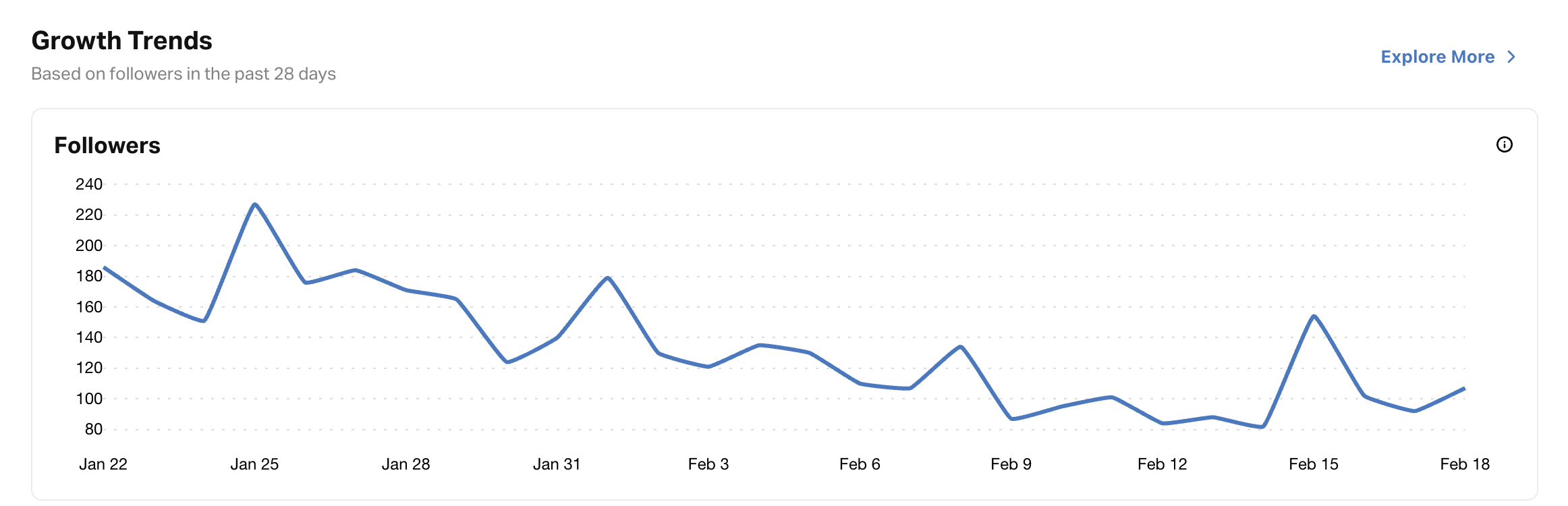
On the detailed Growth Trends page, you’ll see:
- Total Followers Over Time chart (with filters for date range, device country, and device language)
- Growth Breakdown Chart (follows, unfollows, net growth)
- Growth Analysis Table (sortable by device country, device language, follows, unfollows, net growth, and retention rate)
Follower Demographics
This section reveals the composition of your audience by device country and device language, helping you understand where your reach is strongest and who you're connecting with. It shows a breakdown of your followers by country and language. By default, this gives you a quick view of where most of your audience is located and the primary languages they use in the last 28 days.
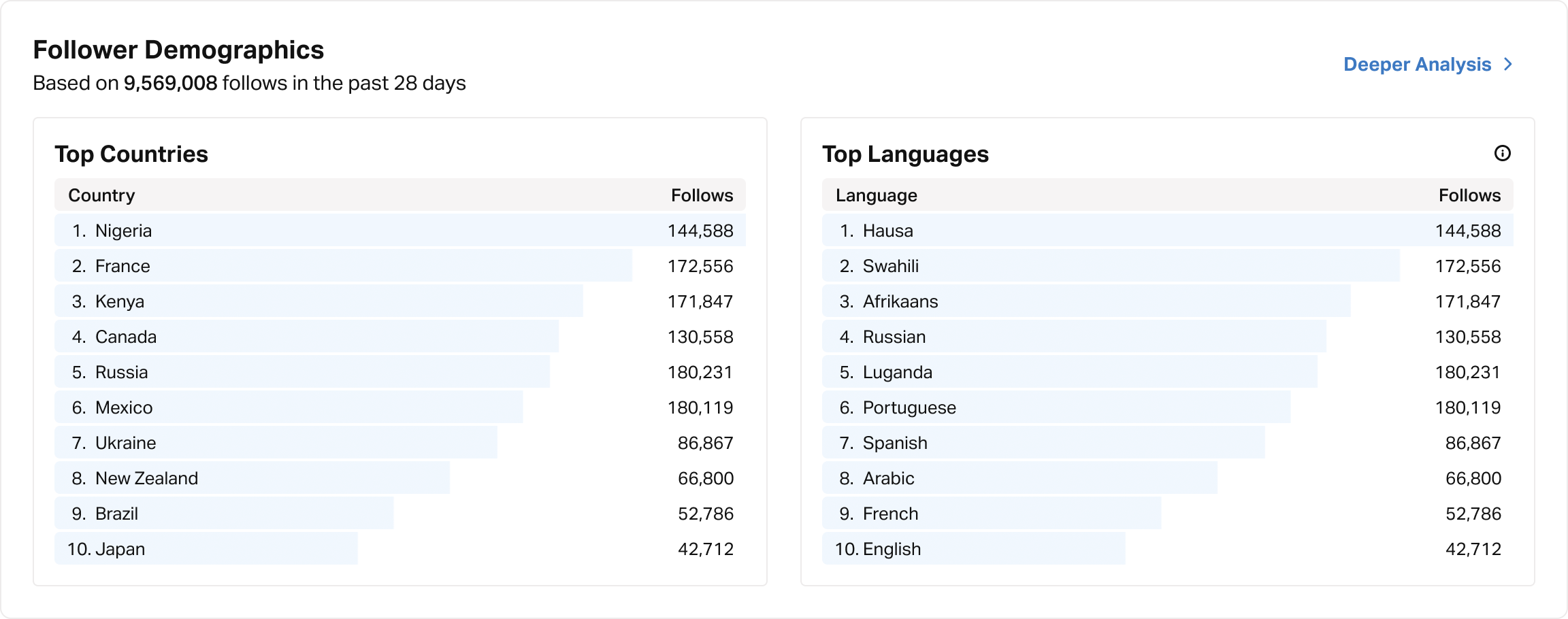
How to View Detailed Analysis of Follower Demographics
- Go to the Followers tab.
- Scroll to the Follower Demographics section.
- Tap the Explore More button in the top right corner of the section.
On the detailed Demographics page, you’ll see:
- Followers by Country Map - a visual map showing where your followers are located around the world.
- Country Breakdown Table - a table showing all countries of your followers
- Language Breakdown Table - a table showing all the languages of your followers
Follower Plan Activity
This section shows which of your Plans your current followers have subscribed to the most in the last 28 days. This helps you identify the type of content that connects most with your audience so you can create or share more of it.
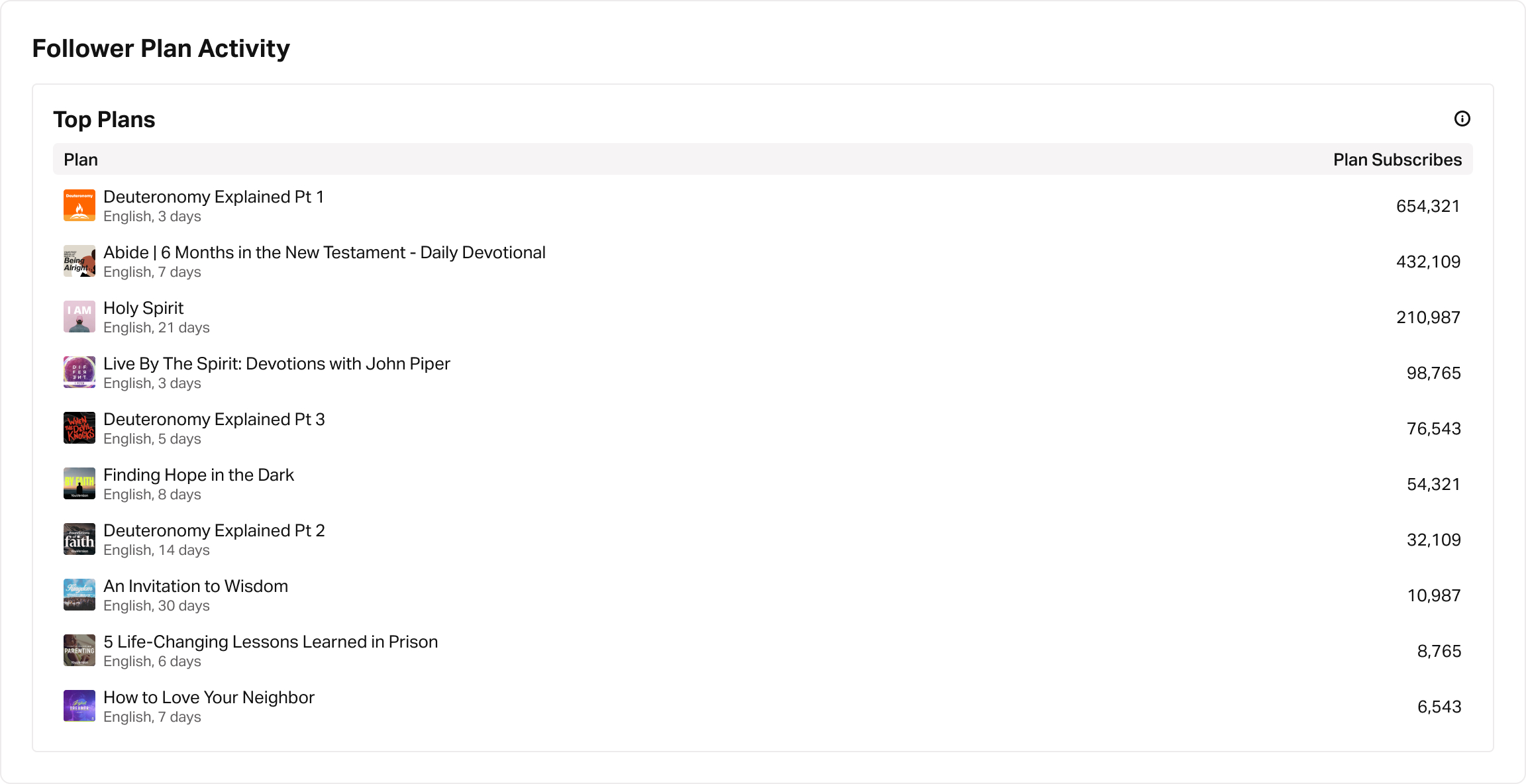
How to View Follower Plan Activity
- Go to the Followers tab.
- Scroll down to the Follower Plan Activity section.
How did we do?
Plans Insights
Export Plan Data
