How To Un-Publish A Sermon
Learn the steps to un-publish a sermon in YouVersion Connect.

Updated
by Jillian Galley
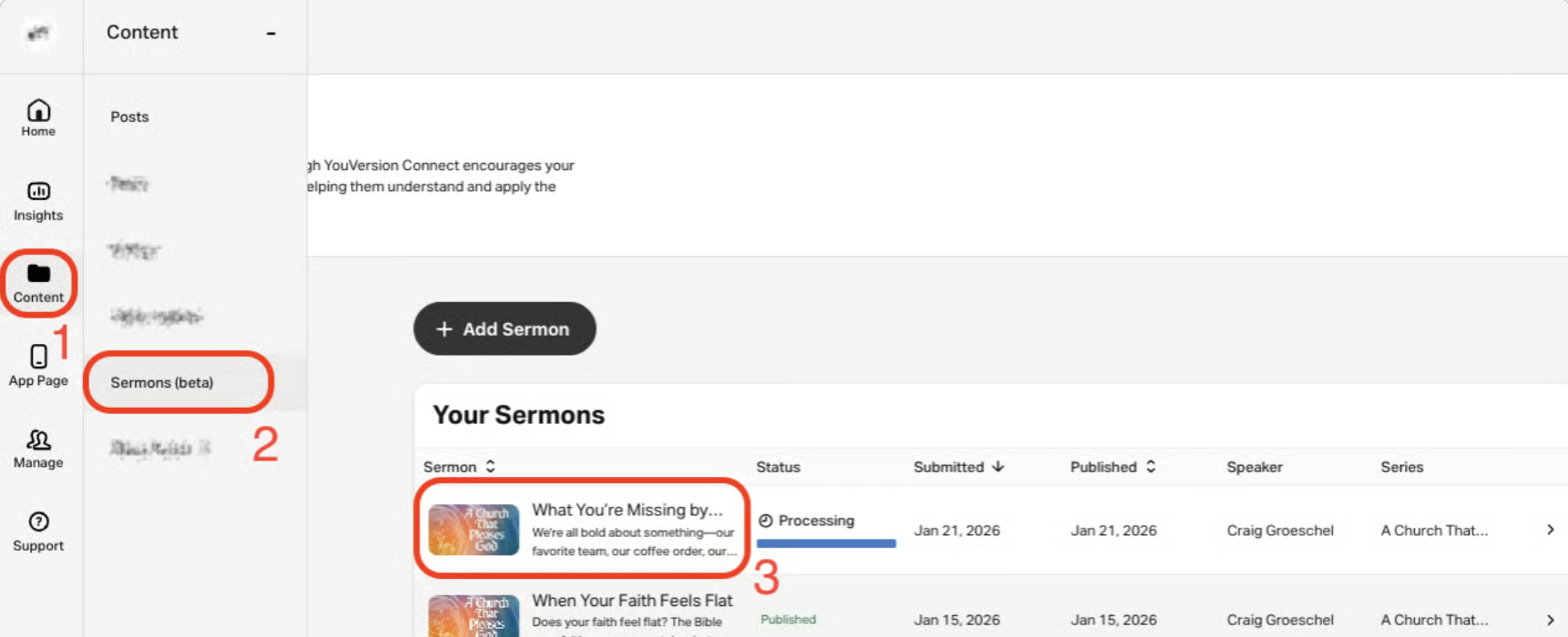
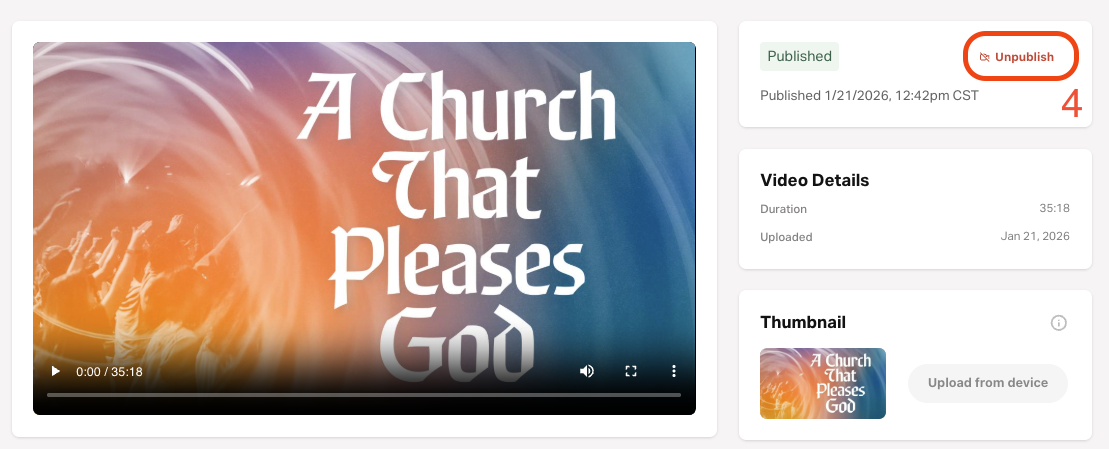
- Log into YouVersion Connect.
- Select Content on the left navigation menu.
- Select Sermons.
- Select the sermon you want to unpublish from your in-app page.
- Select Unpublish.
Note: You can only unpublish a sermon that is published. You can't unpublish a sermon that's in review.
Need to republish an unpublished sermon?
Reach out to our Support Team! This can only be done by our internal teams.
How did we do?
Sermon FAQ's
